Setup guide
How to use yastream.com.
Create a stream, send video from OBS or another encoder, and share a browser viewer link with the people who need to watch.
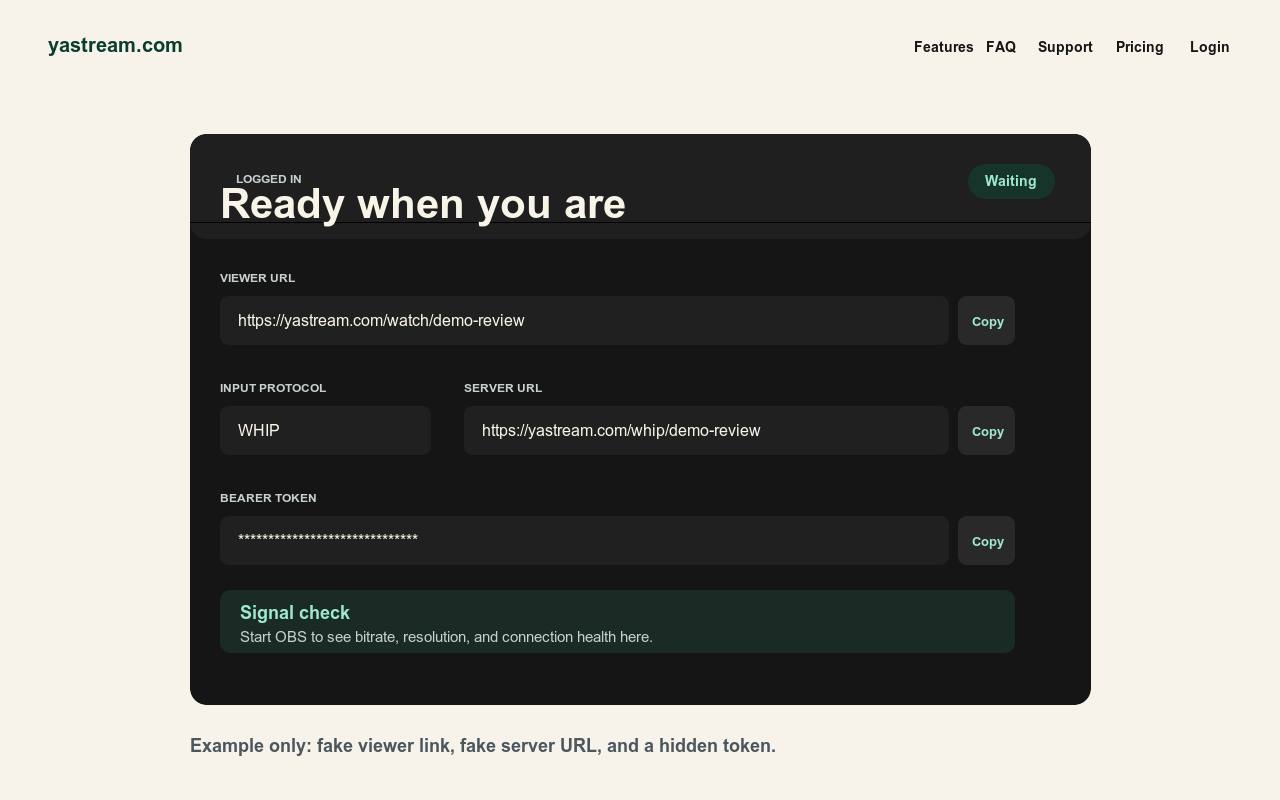
Quick start
Stream in five steps.
Use WHIP first when OBS supports it. Use SRT when WHIP is not available.
- 1 Create the stream Open yastream.com and click Go Live, or sign in and create a stream from the dashboard.
- 2 Copy the viewer link The Viewer URL is the link to send to viewers. If the stream has a password, send that separately.
- 3 Copy ingest details Choose WHIP, SRT, RTMPS, or RTMP, then copy the server URL and matching key, token, or Stream ID.
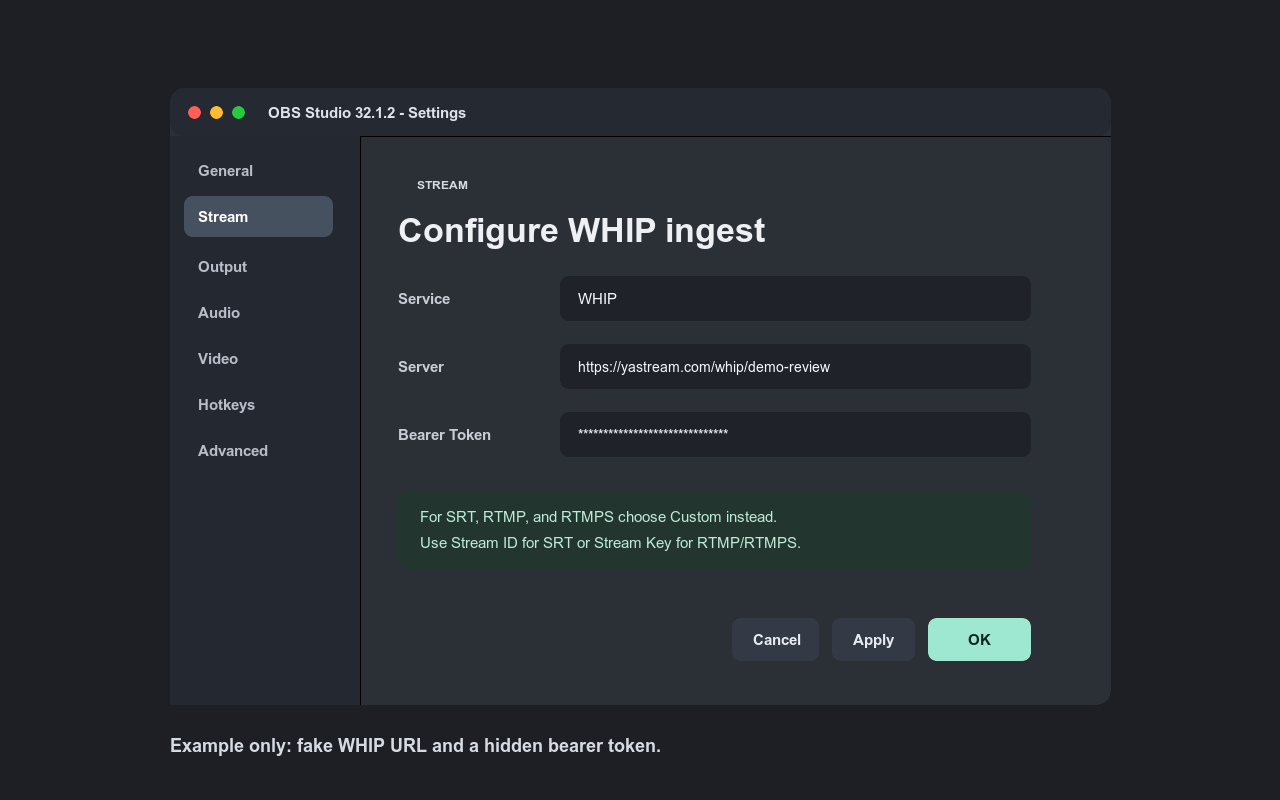
- 4 Configure OBS Open OBS Settings > Stream. Paste the yastream values exactly, with no extra spaces.
- 5 Start and verify Click Start Streaming in OBS, confirm yastream sees the signal, then test the viewer link on another device.
Keep credentials private. Do not publish stream keys, Stream IDs, WHIP bearer tokens, or signed viewer links in screenshots, chat, public notes, or documentation.
OBS setup
Paste the right values into OBS.
These are the normal OBS fields for each yastream ingest protocol.
| Protocol | OBS service | Server field | Credential field |
|---|---|---|---|
| WHIP | WHIP | WHIP URL | Bearer/auth token |
| SRT | Custom | SRT URL | Stream ID |
| RTMPS | Custom | RTMPS URL | Stream key |
| RTMP | Custom | RTMP URL | Stream key |
Quality and delay
Recommended stream settings.
These settings are a practical starting point for low-delay browser playback.
- Video encoder: H.264/x264 unless you have a specific reason not to.
- Audio codec: Opus when streaming with WHIP and watching with WHEP.
- Rate control: CBR.
- B-frames: 0.
- Keyframe interval: 1 second.
- Bitrate: stay under your plan limit and leave room on the upload connection.
- Frame rate: start with 25 or 30 fps.
- Resolution: keep output resolution inside your plan limit.
Viewers
Share the viewer URL.
Viewers do not need OBS, a yastream account, or special software. They need the viewer URL and a current browser.
- Browser playback Current Chrome, Edge, Safari, or Firefox is enough for normal viewing.
- Password streams If you enable a stream password, send it separately from the viewer URL.
- Latency wording yastream targets low latency. Down to 0.5 seconds is possible under ideal conditions; around 1 second is the normal target in real productions.
- Viewer limits Viewer capacity depends on the account plan. Upgrade or book temporary viewer slots when more people need to join.
Troubleshooting
If something feels off.
- OBS cannot connect Check stream type, server URL, stream key, Stream ID, or WHIP token.
- The viewer link keeps waiting Make sure OBS says it is live, then check that yastream shows a healthy signal.
- The stream is rejected Lower bitrate or resolution so it fits your account tier.
- There is no WHEP audio Use Opus audio for WHIP/WHEP, or switch to a playback path that supports your source audio.